Steps to Set Up Discount Codes for Products on Shopee
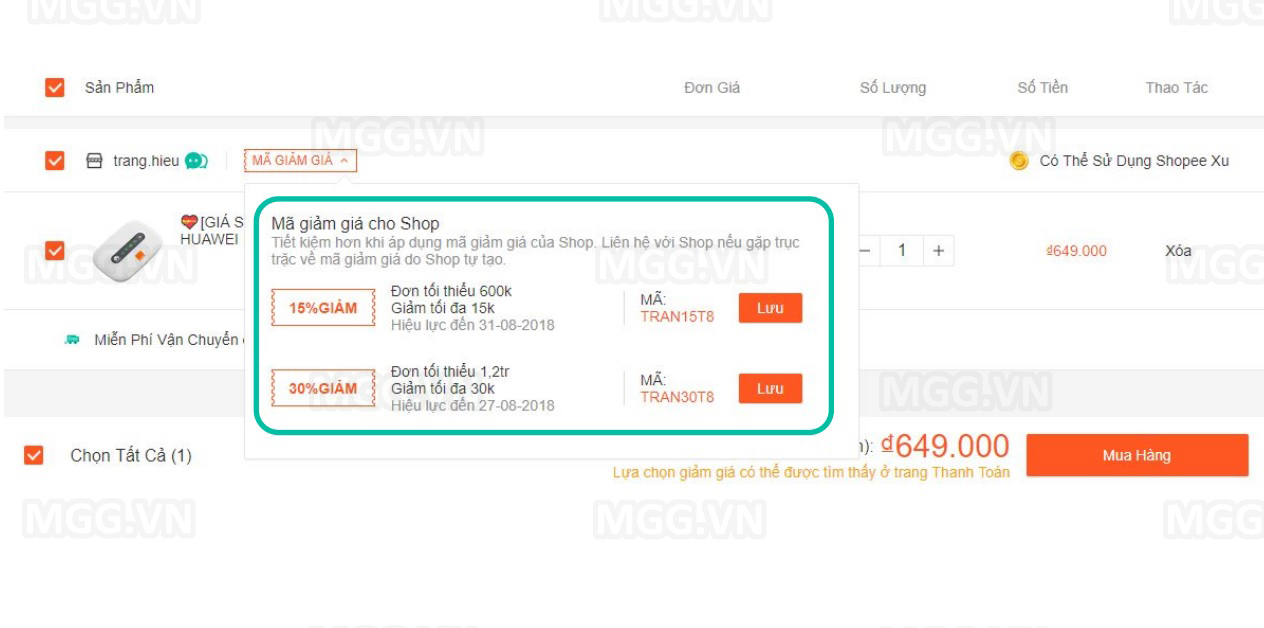
Discount codes are highly effective sales tools on Shopee, attracting customers, increasing conversion rates and encouraging more purchases. However, not every seller knows how to create them correctly and optimize their use. This article provides detailed steps for setting up product discount codes on Shopee, suitable for both beginners and established shops.
1. What are Shopee discount codes?
A Shopee discount code is a seller-created promotion that lets buyers enter a code to reduce part of their order value. It is a tool within the Shopee Marketing Center, helping you:
-
Attract new customers
-
Increase order rates
-
Promote slow-selling products
-
Encourage customers to buy more products at once
2. Types of discount codes sellers can create
-
Percentage discount code: For example, 10% off up to 50.000 VND
-
Fixed-amount discount code: For example, 30.000 VND off orders from 300.000 VND
-
A discount code that applies shop-wide or applies only to specific products
-
Shared code or exclusive codes for target customer groups
3. Requirements before creating a discount code
-
The seller account must be operating normally
-
Products must be in stock, publicly displayed and compliant with Shopee policies
-
Prepare a promotional budget suited to your marketing strategy in advance
4. Steps to set up discount codes on Shopee
Step 1: Open Marketing Center
-
Log in to Shopee Seller Center at seller.shopee.vn
-
Select Marketing Center
-
Click the section labeled My Discount Codes
Step 2: Create a new discount code
-
Click the button labeled Create a new discount code
-
Enter basic information:
-
Discount code name: An internal management name (not visible to customers)
-
The code customers use: The code customers enter at checkout
-
Discount type: as a percentage or fixed amount
-
Discount value and minimum order value
-
Number of code redemptions: the maximum number of redemptions
-
Step 3: Set the validity period
-
Choose the promotional code's start and end dates
-
You can also set limited time windows to create a sense of scarcity
Step 4: Select eligible products
-
Select 'All products' to apply it throughout the shop
-
Or click 'Select products' to limit the promotion to specific items
Step 5: Review and confirm
-
After completing all information, click Save to activate the discount code
-
You can track performance in the promotional code statistics section
5. Tips for using discount codes effectively
-
Set an attractive discount without making a loss: Calculate product cost and profit beforehand
-
Combine with Flash Sale or FreeShip Extra programs to increase visibility
-
Actively promote the code: Include it in product images, banners, descriptions, livestreams or social media
-
Create exclusive discount codes for existing customers or followers to retain buyers
6. Common mistakes when creating discount codes
-
Setting the validity period to coincide with stock running out
-
Overly complicated codes are hard for customers to remember
-
Not linking discount codes to specific products
-
Insufficient budget causes codes to run out early without generating orders
Conclusion
Creating discount codes on Shopee is a simple but highly effective strategy when applied correctly. Detailed planning, suitable timing and performance monitoring help you grow sales quickly and improve your competitiveness against other shops in the same category.