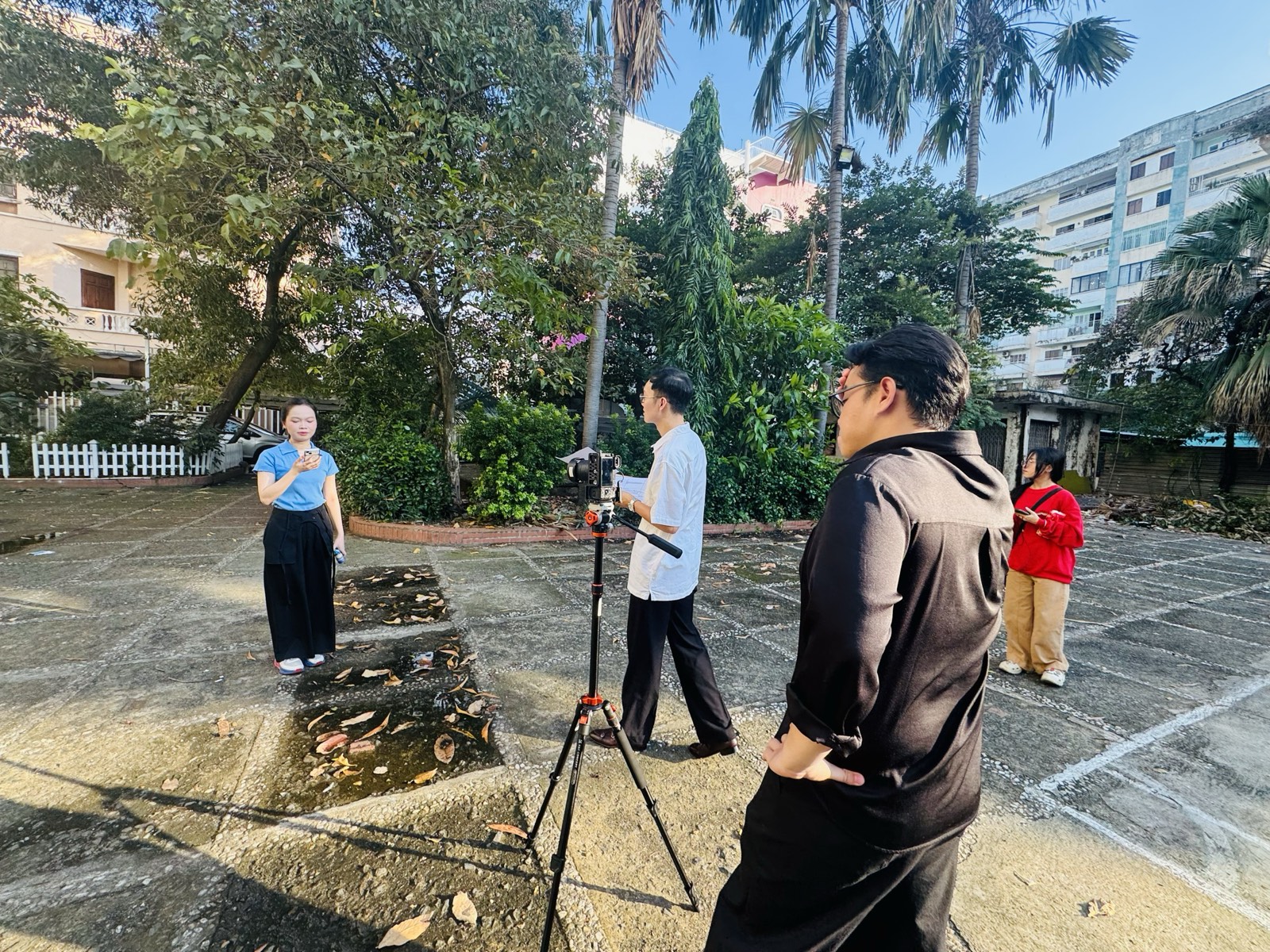
Height Media shares behind-the-scenes moments from a shoot with Yakult
Height Media shares behind-the-scenes images from a shoot with Yakult, capturing moments of work in the discussion area and at the outdoor filming setup …
Learn MoreHeight Media Orders • Invoices • Accounting
Orders have been delivered, but it is unclear which invoices have been issued? Data across the shop, software and accounting do not match? Height works with specialist providers and the supplier to develop a suitable Sapo workflow, from assessing order flows to testing and handover.


Sapo Omni/OmniAI manages sales; Sapo Invoice handles electronic invoices; Sapo Accounting handles accounting. Connections are selected according to the version and actual needs. Bulk draft invoice creation, automatic issuance and accounting synchronization are separate steps that must be checked individually.
Send a list of sales channels, the software package in use, expected invoice volume, a sample product catalogue and examples of current difficulties. Personal information should be removed from sample data; access permissions should be limited to the agreed work scope.
Orders synchronize → check data and conditions → create/issue invoices → reconcile status → synchronize accounting. Orders with missing data or errors enter a handling queue. This is an illustrative workflow, not a Sapo screenshot or a customer record.
Height coordinates needs and implementation parties; it does not replace a tax agent. Features depend on the supported package, connections and configuration. Sellers and accounting professionals must review invoice content, tax rates and issuance timing. The software alone does not guarantee that every transaction is tax-compliant.
Practical materials
Select scenarios with the accounting lead and implementation provider; record the results before expanding automation.
| Scenario | Items to check | Results to record |
|---|---|---|
| Orders with complete data | Creation/issuance conditions, merchandise amounts and invoice information | Confirmed processing status and reconciliation reference |
| Orders with missing information | Buyer data, product data or mandatory fields | Alerts, the person completing missing data and handling after completion |
| Returned/cancelled orders | Order status and any invoices already issued | Handling steps confirmed by accounting professionals |
| Repeated synchronization or actions | Orders with existing invoices, reference codes and processing history | Controls to prevent duplicate issuance within the supported configuration |
| Permission/digital-signature errors | Access permissions, connections and actual processing status | Error notifications, the responsible contact and how to check again |
A test-planning table, not a software screenshot or an actual implementation result. Features must be checked against the Sapo package in use.
Before implementation
Start by reviewing the current configuration. The proposed approach prioritizes retaining suitable components and adding only the connections and processes needed.
The responsibility matrix identifies who receives notifications, performs reconciliation and contacts support. Support duration and channels are recorded in the implementation scope.
Start with actual needs
Send product or business information so that tasks, specialist contacts and a suitable quotation can be established before implementation.
Height Media shares behind-the-scenes images from a shoot with Yakult, capturing moments of work in the discussion area and at the outdoor filming setup …
Learn More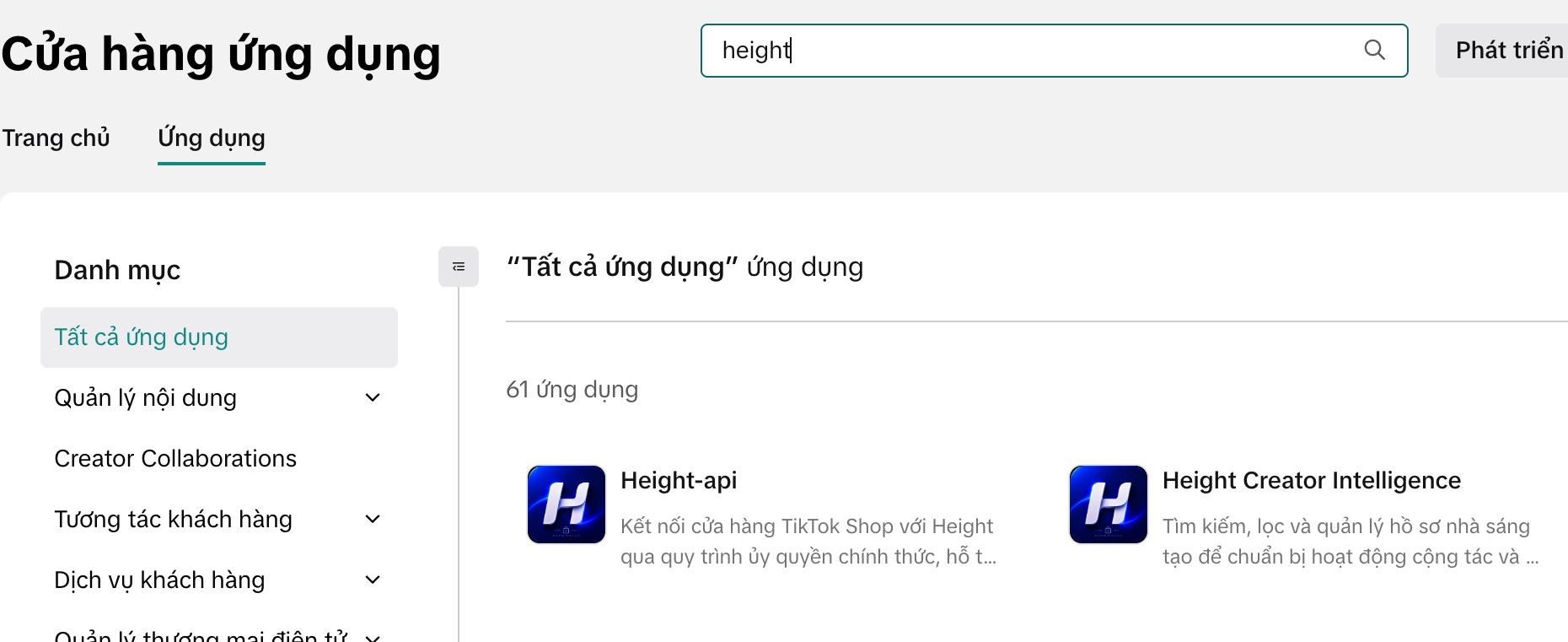
When preparing a TikTok Shop campaign, the operations team needs to know which shop it is working with and which app needs authorisation. In the App Store …
Learn More
Height Media and Cao su Bến Thành discuss e-commerce direction. The working meeting with the leadership of Cao su Bến Thành Joint Stock Company …
Learn More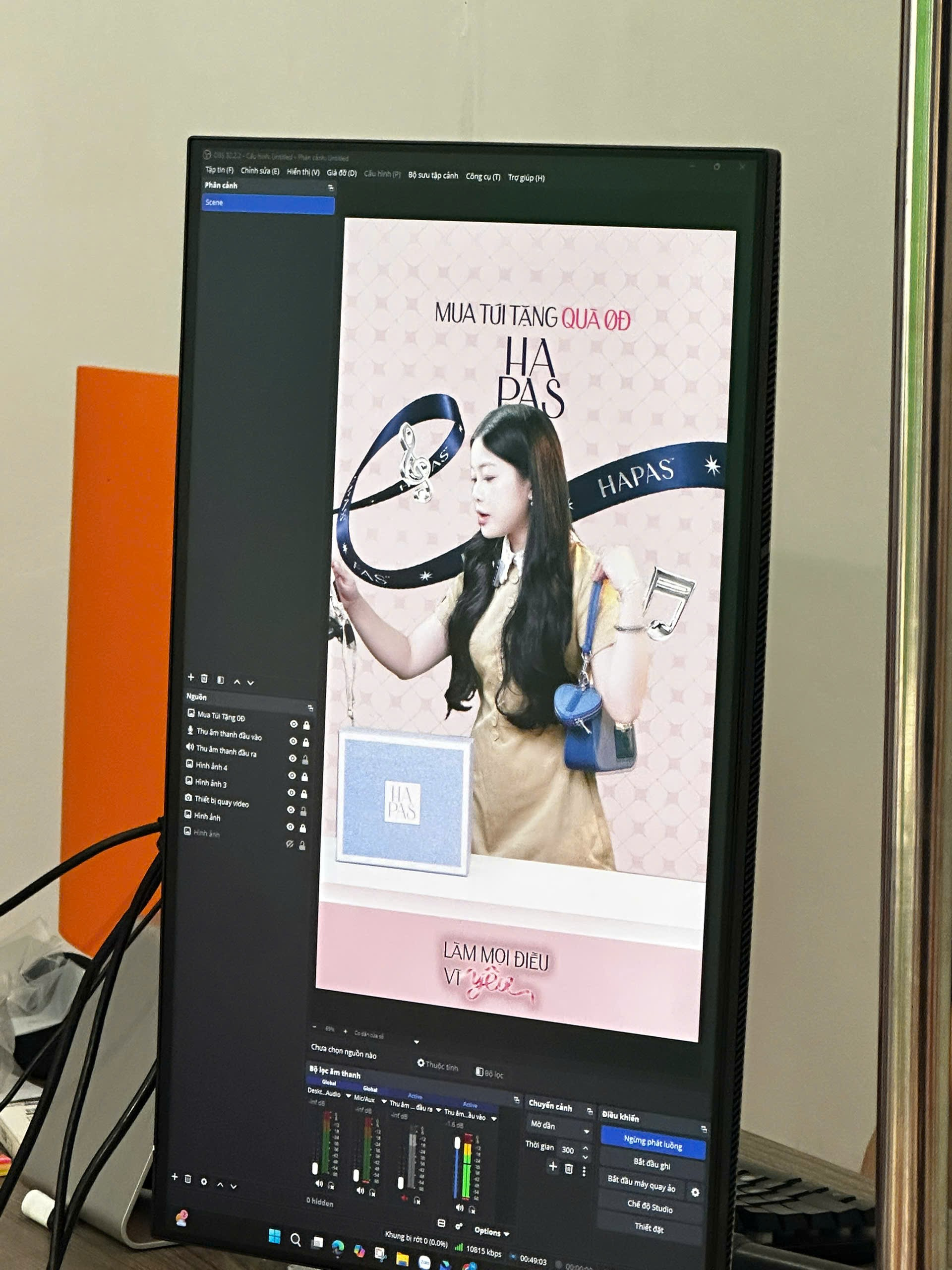
For HAPAS’s October 20 “Do everything for love” campaign, Height helped deliver product livestreaming. Two behind-the-scenes images show …
Learn More


Digital Commerce & Media
Height Media is a communications company providing creative solutions for content production, events, marketing and e-commerce operations. We work alongside businesses to build, expand and elevate their brands in practical and effective ways.
For customers seeking quick advice, the seller community or immediate access to Height Media's e-commerce operations toolkit.

Height OS is a platform that supports clearer management of tasks, data and e-commerce performance, helping teams track progress, collaborate and manage growth more effectively.
New workspaces are currently available through Private Beta.





Websites in the Height Ecosystem
Two official apps for operations and creator booking.

Manage, connect and explore services in the Height ecosystem.


Connect brands with KOC/KOL, creators and booking opportunities.

Leave your details and the Height Media team will advise on an approach suited to your products, budget and current stage of operations.